
PVP: Combo leader, MW time and Anti push
Tab: PVP
Combo leader: the bot attacks the same target as the leader, monster or player, as soon as the leader attacks. MW time: shows the seconds left on top of each Earth Field and Magic Field on screen. Anti push: standing still, if a player pushes you, the bot walks you back to your sqm.
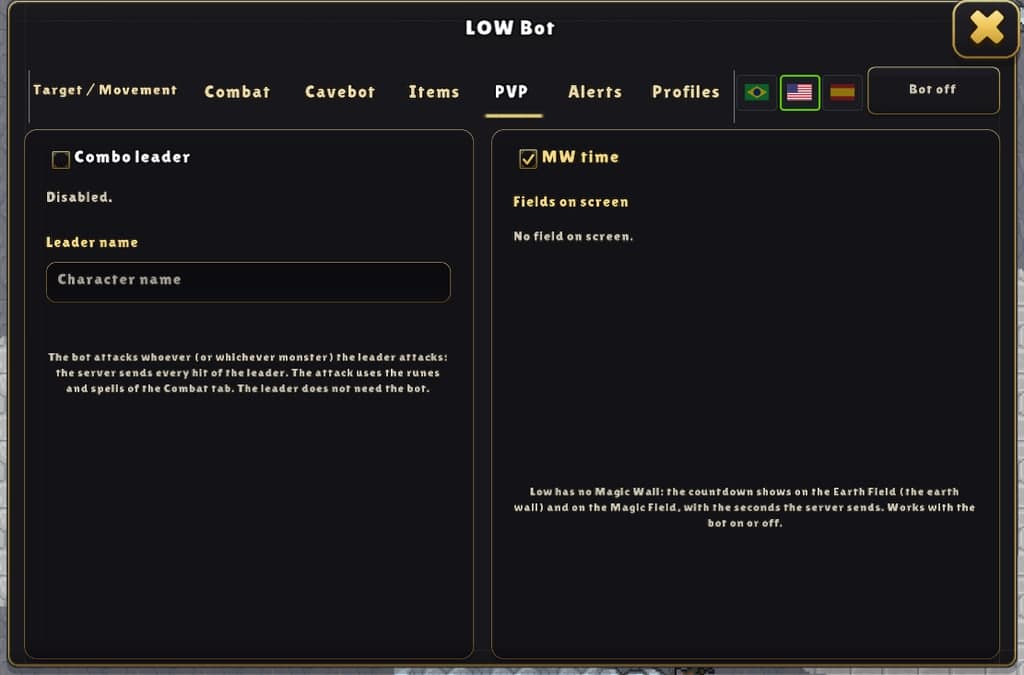
How to turn it on
- 1Open the PVP tab.
- 2In Combo leader, type the Leader name and tick Combo leader.
- 3Set up the runes and spells in the Combat → Attack tab and turn the bot on.
- 4To see the time left on the fields, tick MW time (it works with the bot off).
Settings, one by one
Combo leader
Leader name
The character who leads the attack, on your floor (upper or lower case doesn't matter). The leader doesn't need to use the bot.
Values: Character name.
How it works
Every time the leader attacks, the bot sets the same target and holds it for 4 s, even if Target wanted to switch. The attack uses the runes and spells of the Combat tab.
Status
Shows whether the leader is on screen, how many sqm away, and who they are attacking.
MW time
MW time
Low has no Magic Wall: the time shows in the middle of the Earth Field (the earth wall) and the Magic Field, with the seconds the server sends. White, yellow in the last 5 s and red in the last 2 s.
Values: On or off. Works with the bot on or off.
Fields on screen
The list of fields on screen, with their position and the seconds left.
Anti push
Anti push
Standing on a sqm, if a player pushes you, the bot clicks back on the sqm you were on. If someone took your sqm, you stay where you are.
Values: On or off. Only works with the bot on.
Your sqm
Stand still for a moment and the sqm you are on becomes your sqm (the tab shows its x, y).
When it does not go back
When you are walking (click, keys or joystick), with the Cavebot walking, with the game's Chase on a target, on stairs or a teleport, or with no player next to you.
Status
Shows whether it is holding your sqm, the last push and how many times it went back.
Example: team war
- Leader name: the character who leads the team.
- Tick Combo leader and MW time.
- Combat tab: the single-target rune in the first Attack row.
- Turn the bot on.
MW time only shows the time on screen: it doesn't touch the fields.
The Anti push of the PVP tab is not the Anti push of the Alerts tab, which warns you when you are taken far away.