
Fantasy Bot Auto Target, potions, Cavebot and Loot in Fantasy Browser
It plays Fantasy Browser for you. The bot drinks potions, picks the monster, casts your class's special, walks your hunting route, picks up the loot and warns you when a player shows up, while you do something else.
Windows (portable .exe)
See Fantasy Bot in action
Watch the Cavebot walk the hunting route and the bot fight the monsters on its own in Fantasy Browser.
The bot window, inside the game
Real screenshots of the bot running in Fantasy Browser. Six tabs in the game's own style, in English, Portuguese, Spanish and Polish.
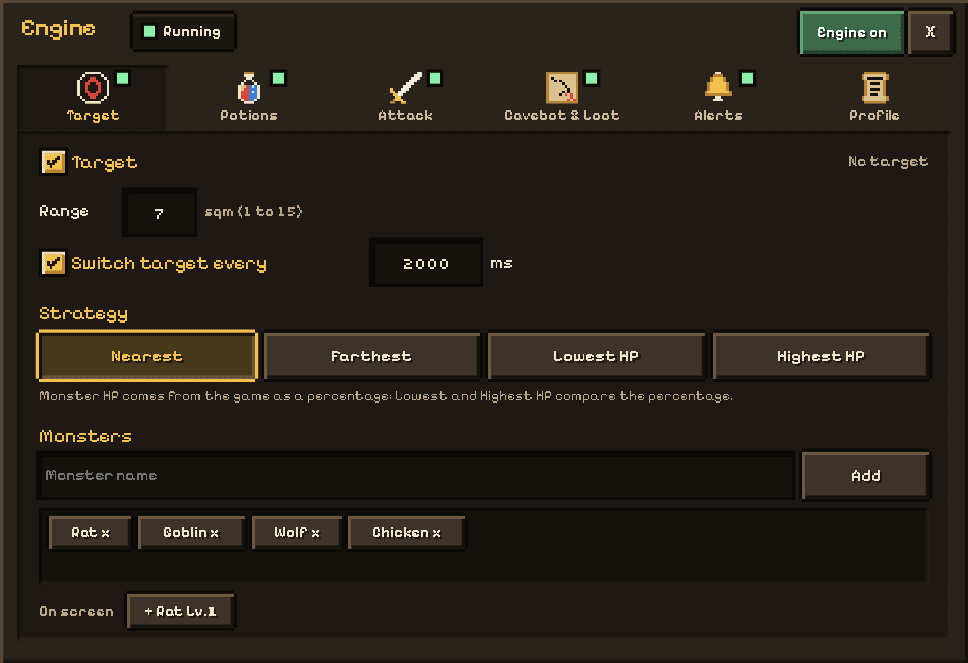
Target
Monsters on your list or all of them, range from 1 to 15 sqm, a strategy by distance or HP and timed target switching. Archer and Mage only pick monsters your character sees.
Potions
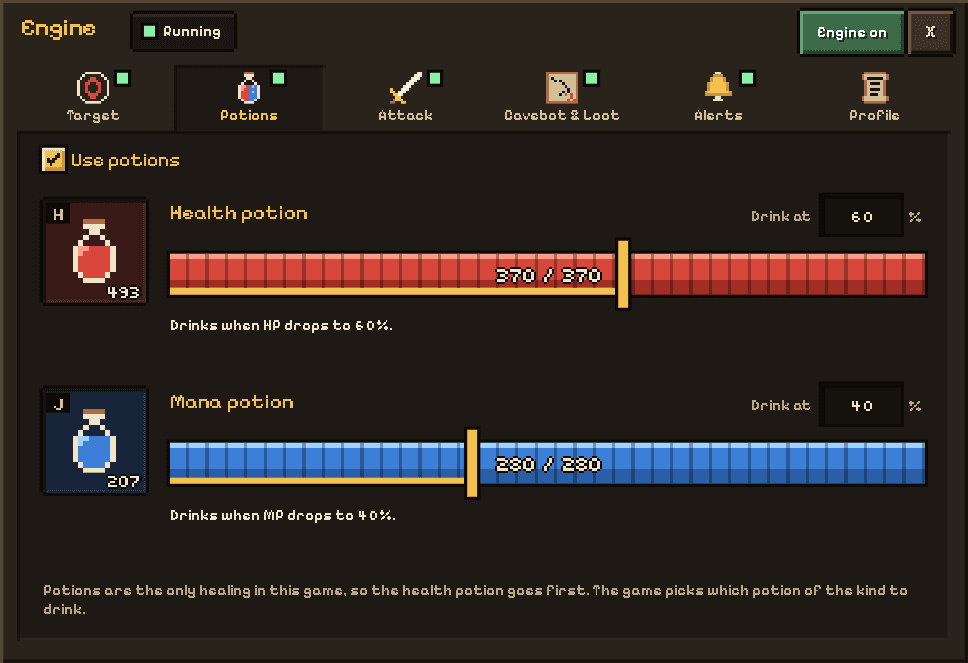
Potions are the game's only healing: choose the HP and MP percentage and the bot drinks by itself, health first.
Attack
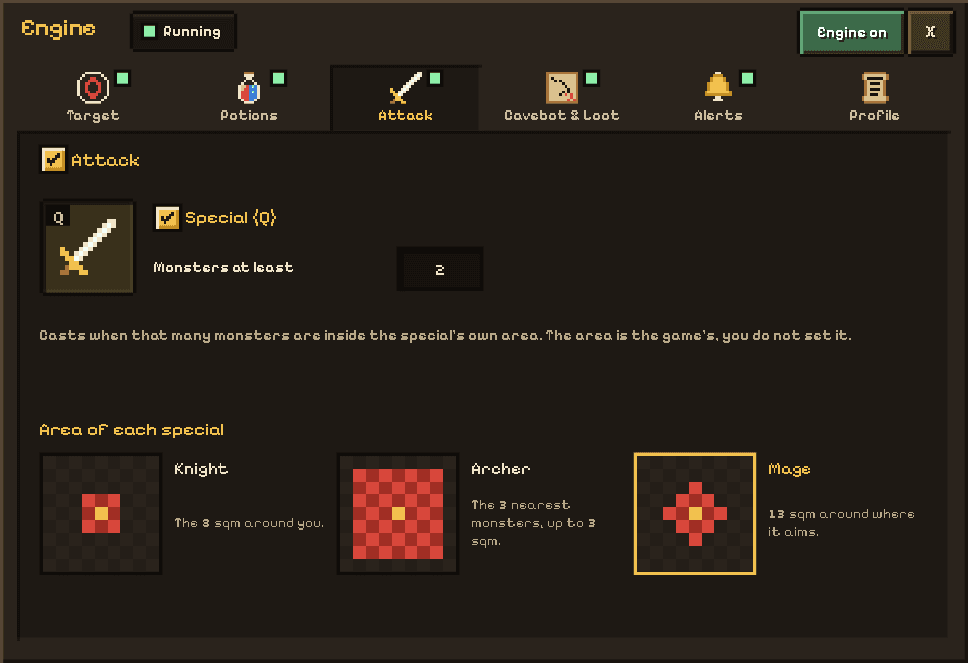
Your class's special (Q) goes off when the number of monsters you chose is inside its area.
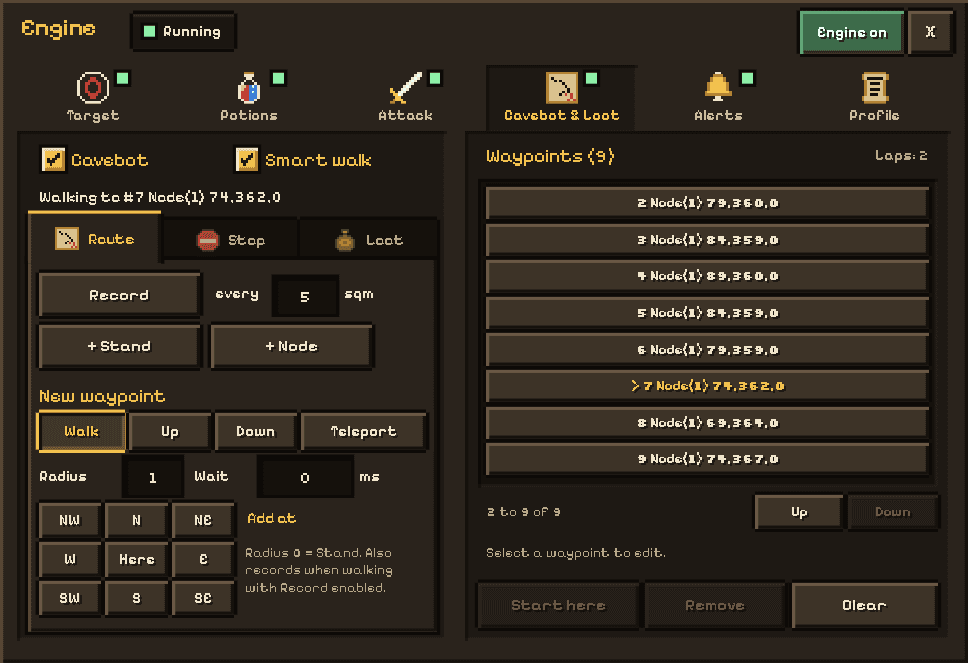
Cavebot
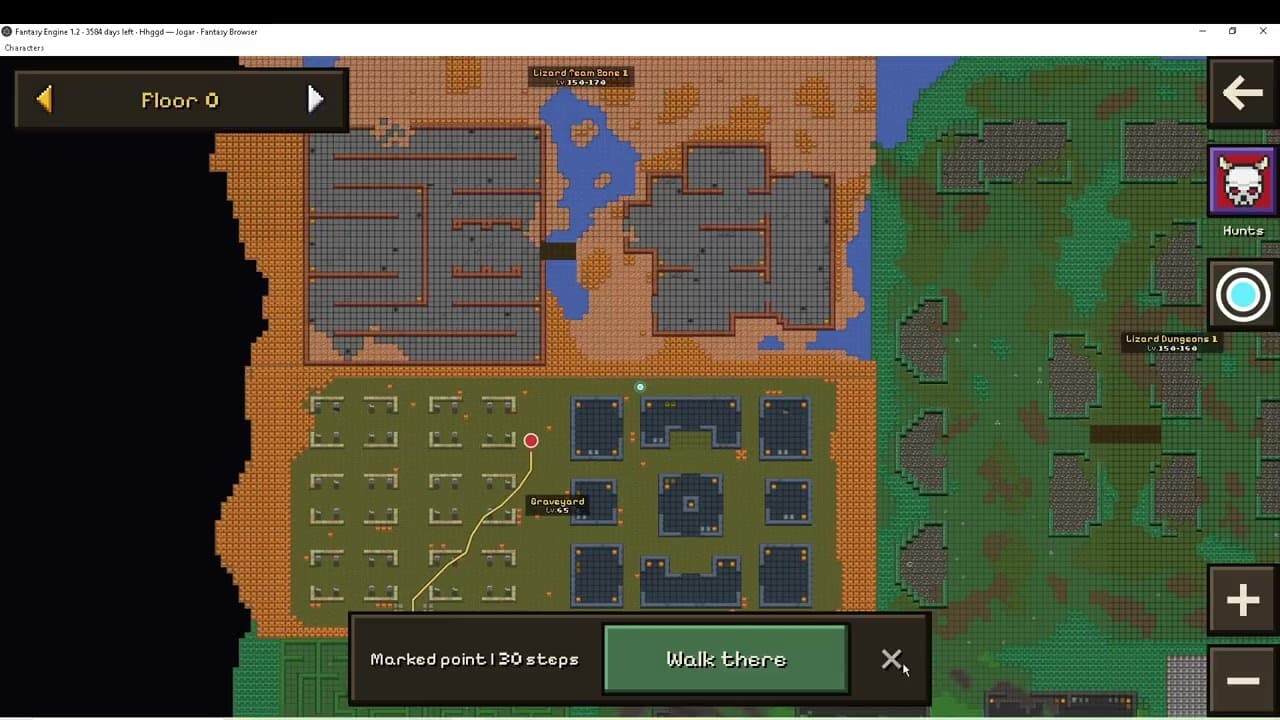
Record the route by walking through the hunt, click Generate route for a ready loop around you, or build it with Stand, Node, stairs and teleports. Smart walk doesn't go back to what it already passed.
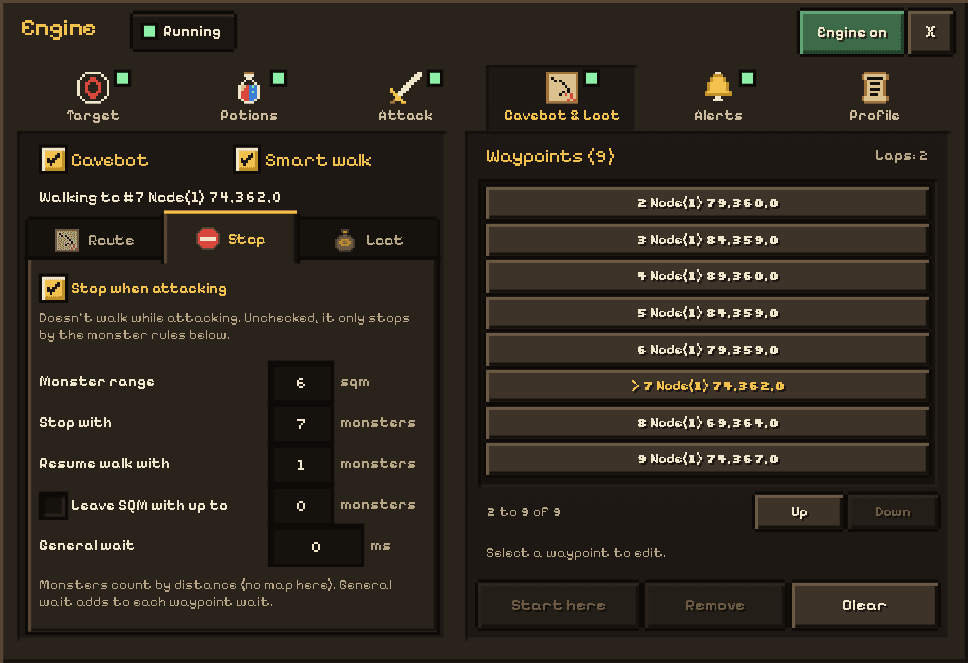
Stop
While you attack, the Cavebot stops, chases the monster or keeps its distance. It also stops with many monsters nearby and walks again when the area clears.
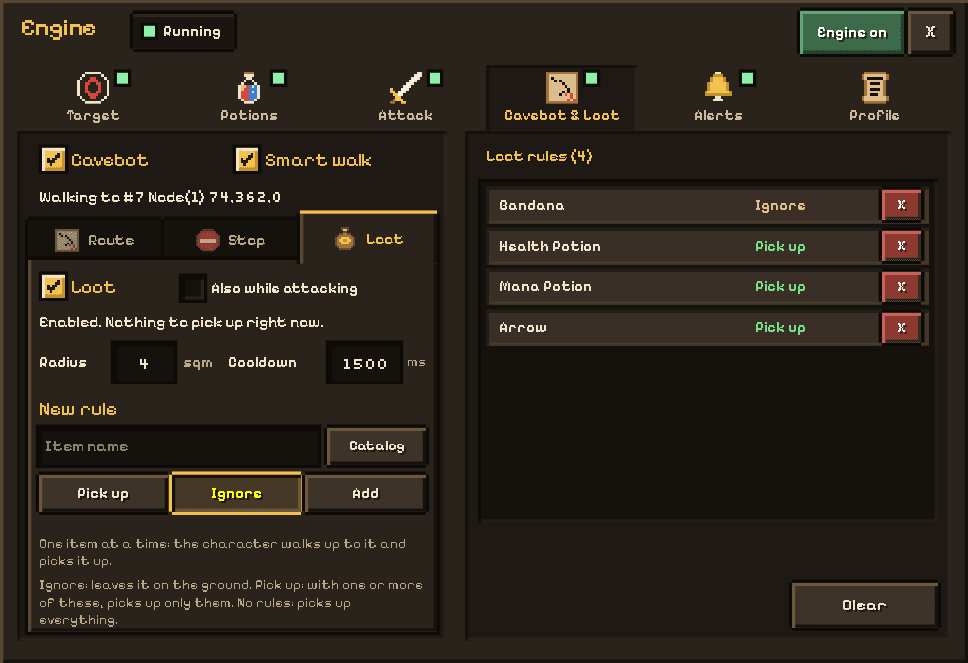
Loot
Picks up everything within up to 11 sqm or only the items on your list, checks that it got them and skips what has no path. The catalog has every item in the game.
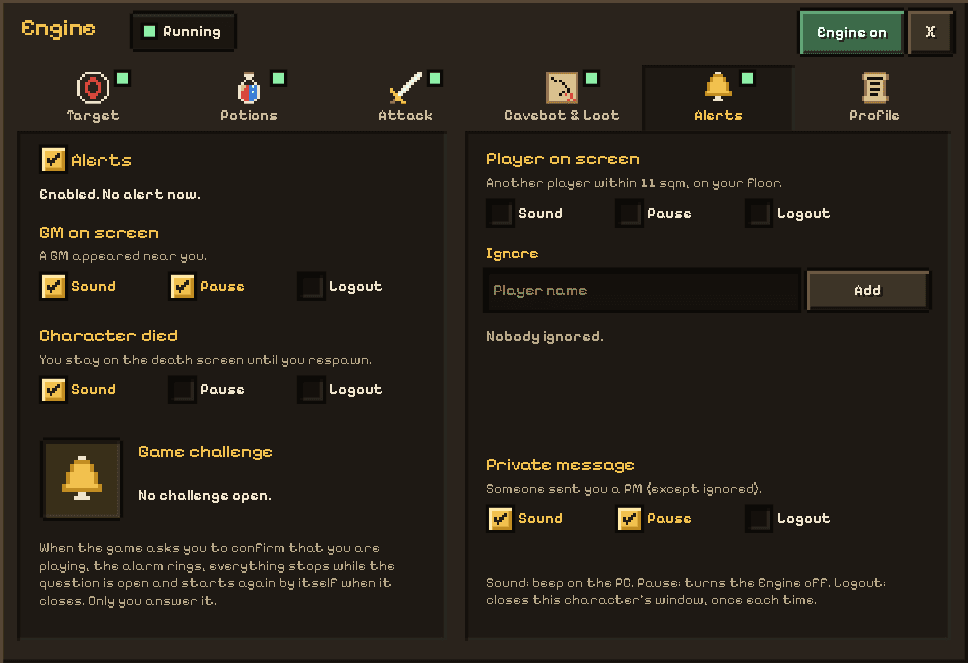
Alerts
GM on screen, player on screen, private message and death, each with sound, pause or logout.
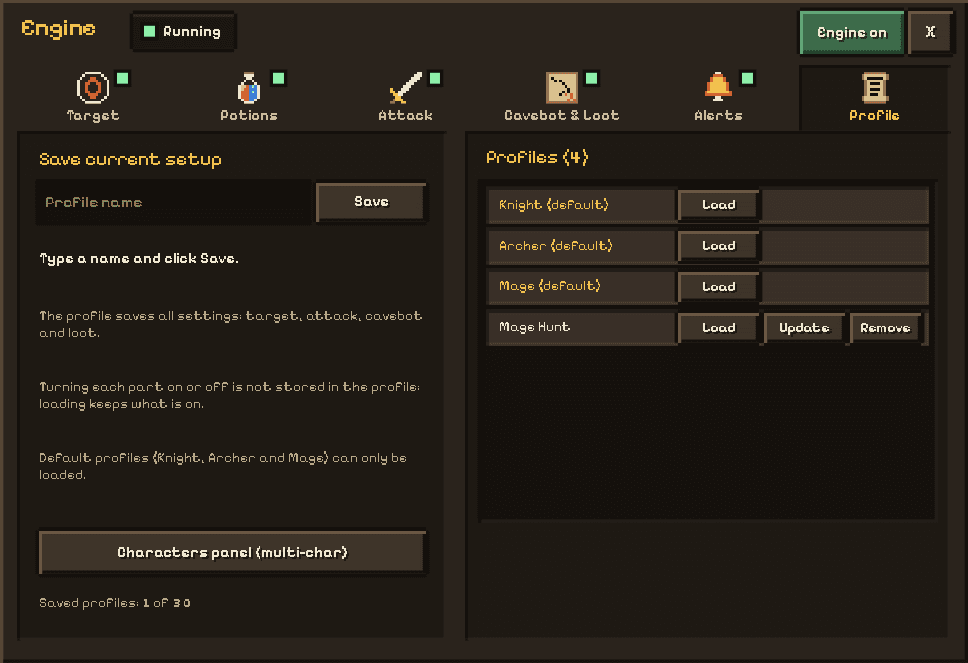
Profile
Ready profiles for Knight, Archer and Mage and up to 30 of your own, with route and loot list.
What the bot does
Each part has its own checkbox: turn on only what you want.
Auto Target
Picks the monster by distance or HP, only the ones on your list or all of them. Archer and Mage only pick what your character sees; Knight, by the path to the monster.
Auto potions
Drinks health and mana potions at the percentage you choose. Health goes first.
Each class's special
Casts the Q of Knight, Archer or Mage when enough monsters are in the area. On Mage, it aims by itself.
Cavebot with recording
Record the route by walking or generate a ready loop around you, with Stand, Node, stairs, teleports, laps and Smart walk.
Stop rules
Stops, chases the monster or keeps its distance while you attack, and walks again when the area clears.
Auto Loot
Walks up to the item and picks it up, one at a time, within up to 11 sqm. Everything, or only what is on your list, and it checks that it got it.
Alerts
Warns with a sound, pauses or logs out when a GM or player shows up, a private message arrives or the character dies.
Profiles
Three ready profiles, one for each class, and up to 30 of your own, saved on your computer.
Several characters
Open as many characters as you want and follow each one's life, mana and supply in the characters panel.
Four languages
English, Portuguese, Spanish and Polish, switched on the spot with the flags on the panel.
Ready for Windows
Windows (portable)
A single file, nothing to install: open it, sign in with your account, click + Open character and Fantasy Browser opens in the app window, with the bot icon next to the game's top bar.
Each character opens in its own window, and each window keeps its game login. Your settings are saved on your computer.
News
What came in the newest version, released on November 23, 2026:
- Potions: when the potion you picked in the game runs out, the bot switches to another one, just like the game does.
- Engine: when the connection to the game drops, your character comes back on its own in a few seconds.
- Bug fixes and improvements.
- Download the new version here on the site, on the Download page. Without downloading, close and open the bot: everything else comes in on its own, except your character coming back when the connection drops.
Frequently asked questions
Everything you need to know before you start.
Do I need to install anything?
No. Fantasy Bot is portable: download the file, open it and sign in with your account.
Is it hard to set up?
No. There is a ready profile for Knight, Archer and Mage: load it with one click, turn on what you want and adjust the values. The guide explains every option with an example.
Can I use more than one character?
Yes. From the characters panel, the same app opens as many characters as you want, each in its own window, at no extra cost.
Does it work for all three classes?
Yes: Knight, Archer and Mage. Each class's special (Q) already comes with the game's real area, you only choose the minimum of monsters.
Does the bot heal with spells?
The game has no healing spells: healing is the potion. That's why the Potions tab takes care of life and mana, with health first.
Which languages does it speak?
The bot, the panel and this site are in English, Portuguese, Spanish and Polish. The game itself has Portuguese, English and Spanish.
How to get access
- 1
Create your account on the site with the username and password you want.
Sign up - 2
Pix (R$ 30) or PayPal ($7 USD): message us on Discord with your username and we'll send you the payment details.
- 3
Binance ($6 USDT): pay using the ID below and send the proof on Discord with your username.
- 4
We turn your account on as soon as we see the payment, usually in the evening (Brasília time).
- PixR$ 30
- Binance$6 USDT
- PayPal$7 USD
for 30 days
Open as many characters as you want, at no extra cost. Runs on PC (Windows) only, on one computer at a time.
Binance ID