
Attack: runes and spells
Tab: Combat → Attack
Casts up to 6 attack runes or spells, in the order you choose. Each row has the minimum mana and how many monsters must be in the area to use it.
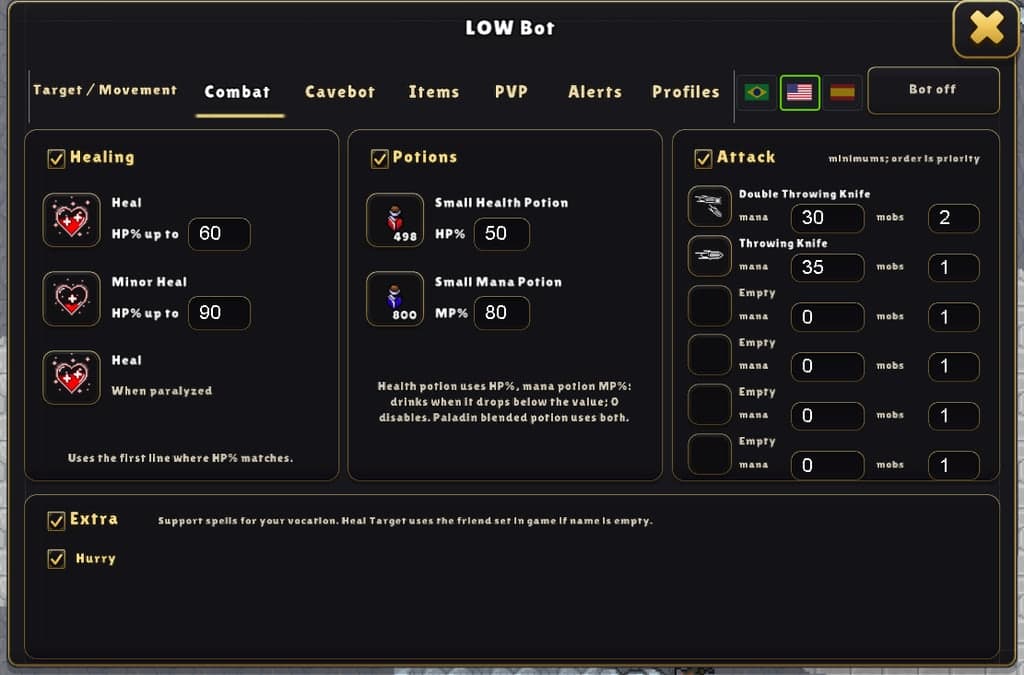
How to turn it on
- 1Open the Combat tab.
- 2In Attack, click a row and choose the rune or spell. The mana comes filled in with its cost.
- 3Set mana and mobs. Put the strongest at the top: the order is the priority.
- 4Tick Attack and Target (Target / Movement tab), and turn the bot on.
Settings, one by one
Rune or spell (6 rows)
The row's attack. The bot uses the first row it can, from top to bottom. Single-target spells and runes go on the monster that Target picked.
Values: The spells of your vocation and the runes in your backpack (with the amount).
ExampleFire Ball
mana
The minimum mana to use the row. Good for saving mana for healing.
Values: Starts with the spell's cost.
Example200
mobs
How many monsters from the Target list must be in the area. A ball counts around the target; wave and area spells count around your character (the wave in the direction your character is facing).
Values: 1 to 15.
Example3
Combo rune
The row under the 6 attacks. Pick the rune and tick the box: after 3 attack spells in a row from the rows above, the bot uses this rune on the target before the rows. Another rune in between doesn't reset the count; 4 seconds without an attack spell do.
Values: The runes of the game's combo: the 4 Blasts, the 4 Balls, Outbreak and Spirit of Doom.
ExampleFire Ball
Example: mage in a crowded hunt
- Row 1: the area spell (surge), mobs 3.
- Row 2: Fire Ball, mobs 2.
- Row 3: the single-target rune, mobs 1.
- Minimum mana 200 on all three, so there is mana left for healing.
The bot waits for the game's cooldown and 1 second between one rune and the next.
A rune is only used if it is in your backpack: the list shows how many you have.