
Minibia Bot: the bot that plays Minibia for you
The bot heals, hunts, walks your route and watches your back — while you do something else. Simple to turn on, and every option is explained in plain words. Try it free for a day.
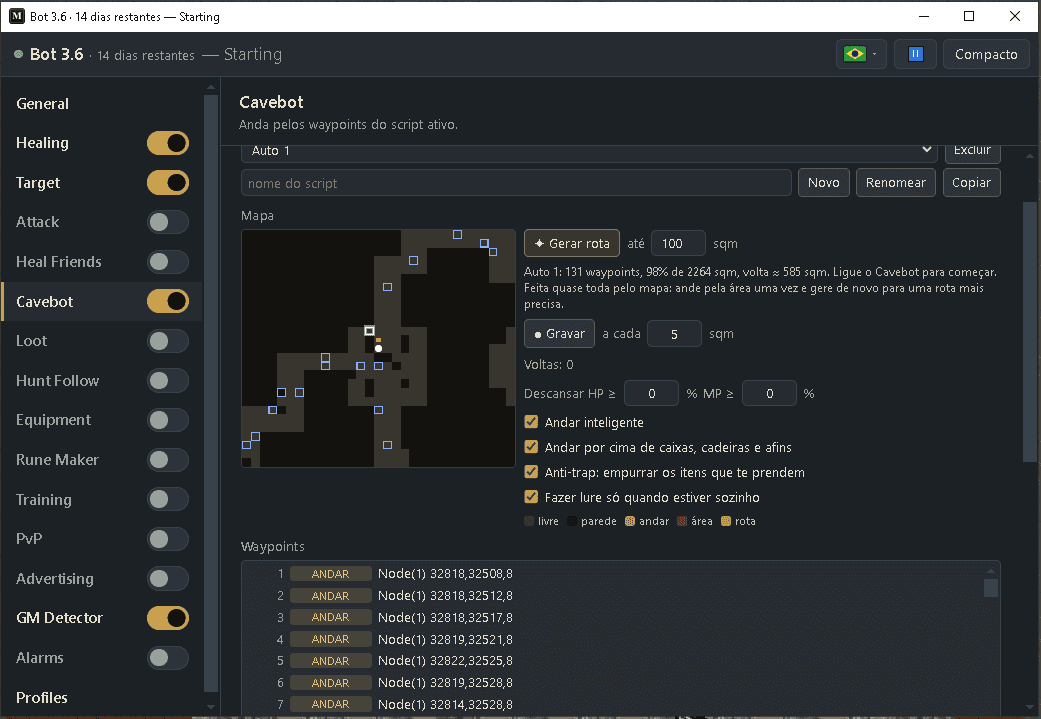
See the bot play Minibia
The Minibia Bot running in the real game, with the cavebot walking the hunt on its own. Watch it before you buy and see what it does for you.
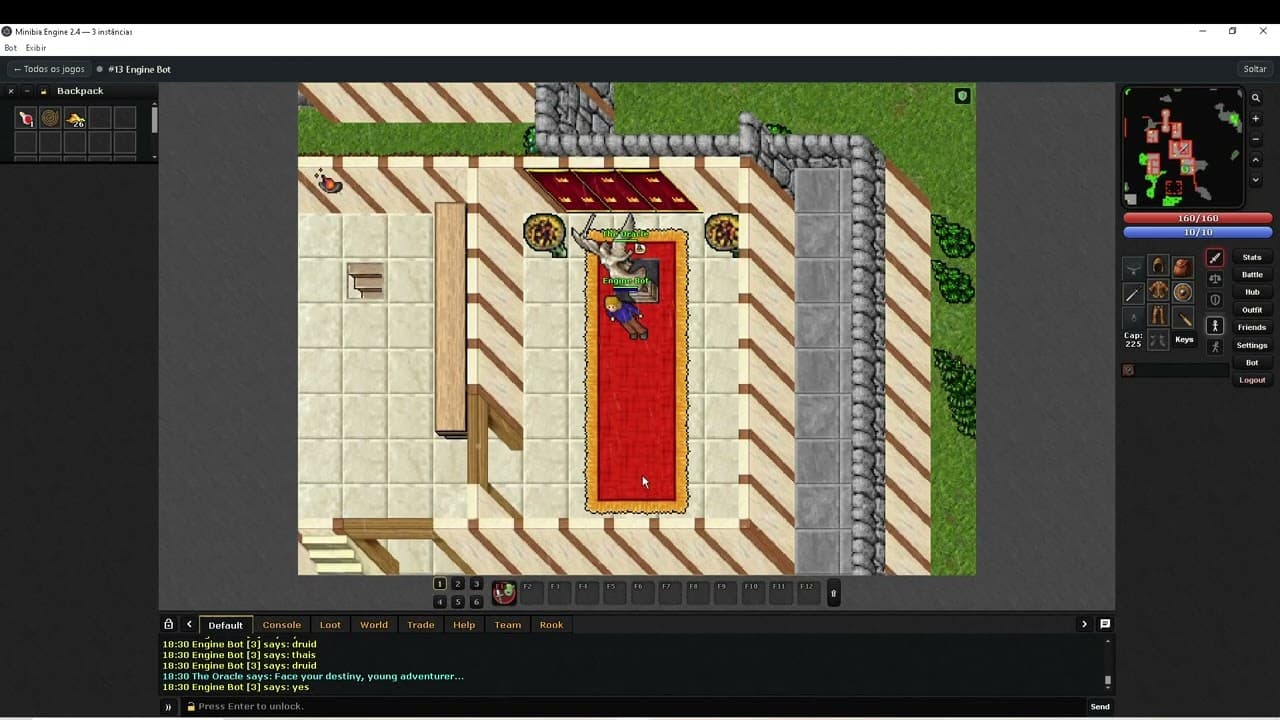
What the bot does
Nine things, all optional. Turn on only what you want.
Auto heal
Keeps your HP and mana safe with your own hotkeys.
Heal friends
Heals the players you add when they get low.
Auto target
Finds and attacks monsters on your screen.
Attack spells & runes
Casts your attacks while you have a target.
Cavebot
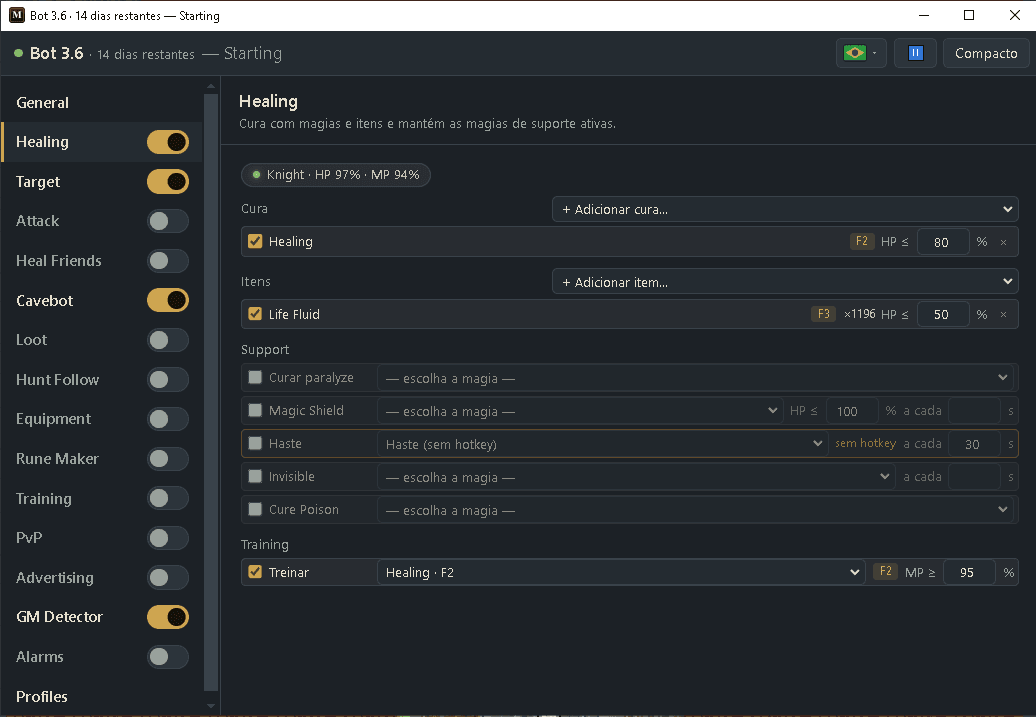
Walks your hunting route in a loop — or builds the route for you in one click.
Rune maker
Makes runes while you stand still.
Alarms
Says out loud what happened (“GM on screen”) and flashes the window when something needs you.
GM detector
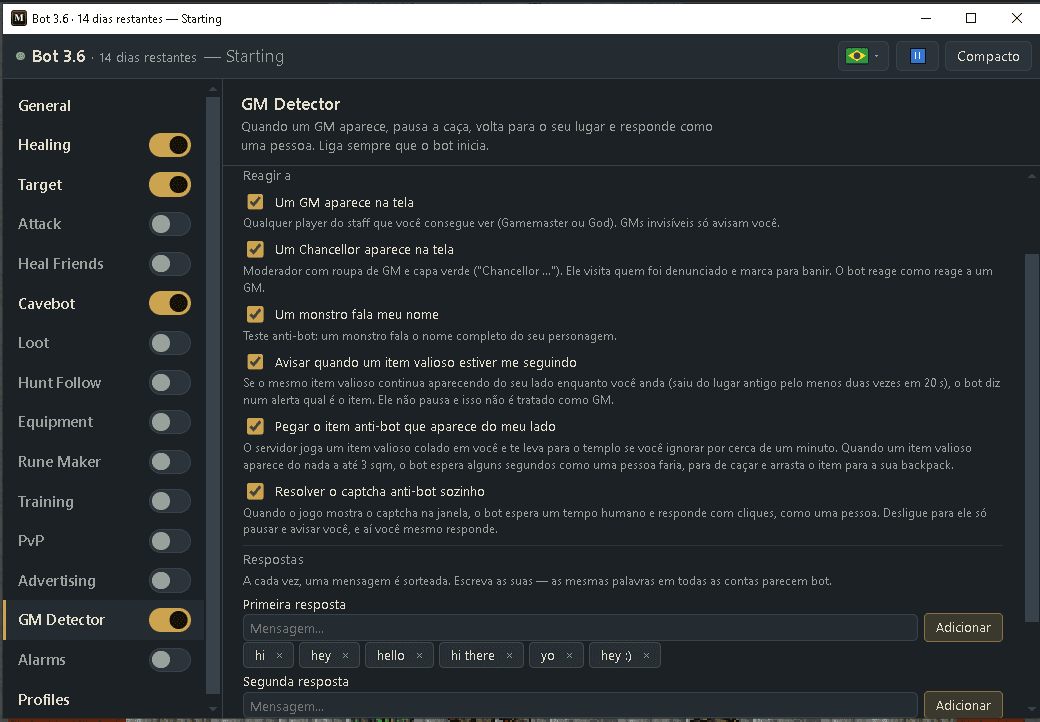
When a GM or a Chancellor shows up, stops, answers in chat like a person and waits.
Full light
Removes cave and night darkness on your screen.
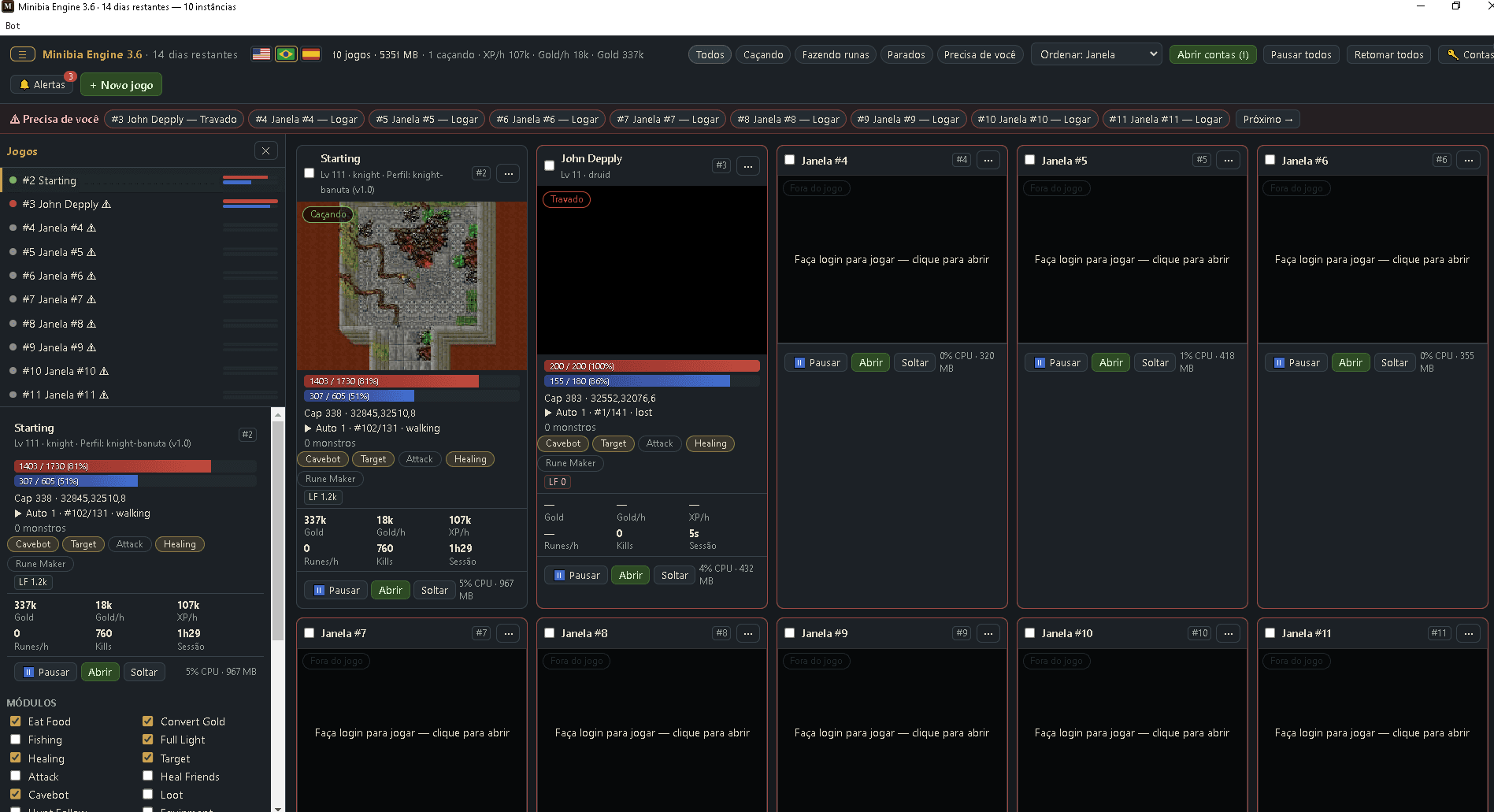
A look inside
The real bot window on PC. Every module has its own tab, and every option is explained in the guide.

Release
What's new in the latest version, out on October 26, 2026:
- Already installed? From now on new versions reach you on their own: close and open the bot and it comes with the latest one, no download needed. PC and Android.
- Android: the game's fullscreen button (⛶) now works, so you can customize the game layout and use your saved layout — download the new APK to get it.
- Android: the floating Bot button disappears when the Bot button of the top bar is visible, no longer covers the game's tabs and the map magnifier, and you can drag it where you want. Comes on its own.
Is it safe and easy?
The honest answers to the questions everyone asks.
Does it send anything to the server?
No. The bot only presses keys and clicks the mouse for you, exactly like a person playing. It never sends anything to the game server.
Will it answer captcha?
Yes, by itself. “Solve the anti-bot captcha by itself” (in the GM Detector, on by default) answers the in-game captcha with clicks, like a person, after a short human pause. If you prefer to answer it yourself, turn that option off: the bot then pauses and warns you.
Can I get banned?
The risk is real: Minibia's rules forbid bots, and no tool is undetectable. The bot lowers the risk because it only presses keys and clicks like a person, the GM Detector pauses and answers in chat when a GM or a Chancellor shows up, the anti-bot captcha is answered after a human pause, and the alarms warn you. Use it wisely: don't leave it on 24 hours a day and vary your replies.
Is there a free trial?
Yes, 1 day. Create your account here on the site, join the WhatsApp group and ask for the trial with your username. We enable it and you sign in to the bot with the same account, on PC or Android.
Does it work on a phone?
Yes. The APK runs the same bot on Android 8.0 or newer, with touch controls. Not on iPhone.
Is it hard to set up?
No. Click the Bot button inside the game, tick what you want, and follow the guide. Every option is explained in plain words — even the cavebot route can be made for you with one click (Generate route).
How to get access
- 1
Choose the username and password you want to use.
Sign up - 2
Pay $12 USDT on Binance using the ID below.
- 3
Send the payment proof on WhatsApp with the username and password you chose.
- 4
We activate your account as soon as we see your message, usually in the evening.
One key runs one character. Need two at once? Just get a second key.
Want to try first? There's a free day: how to get the trial
Binance ID