
Profiles and stats
Bottom bar and General tab
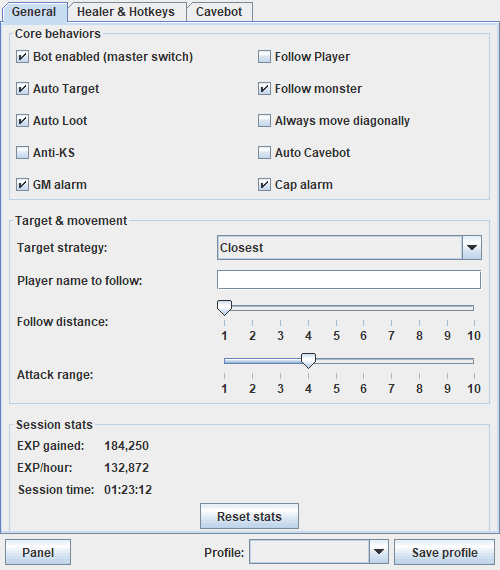
A profile saves your whole setup with a name: the switches, the Target strategy, the ranges, the hotkeys with their conditions, the Cavebot route and the Monster settings. Load it again from the list, on any char. The Session stats show how much EXP the hunt is giving.
How to turn it on
- 1Set the bot up the way you want.
- 2Click Save profile, type a name in Save profile as: and confirm.
- 3To load it, choose the name in the Profile list: it loads right away.
Settings, one by one
Profiles
Save profile
Saves everything that is set on the three tabs under the name you type. Saving with the name of a profile that exists replaces it.
Values: The name can't have / \ or :.
Exampleknight-slimes
Profile
The list of saved profiles. Choosing one loads it at once, including which boxes were ticked when you saved.
Session stats
EXP gained
The EXP your char got since the session started or since the last reset.
EXP/hour
How much EXP per hour the session is giving, at the pace so far.
Session time
How long the session has been running.
Reset stats
Starts the three numbers again from zero.
Example: one profile per hunt
- Set up Auto Target, your hotkeys and the route of a hunt.
- Click Save profile and name it after the char and the hunt, for example knight-slimes.
- Another day, choose knight-slimes in the Profile list and tick Bot enabled.
Profiles are saved on your computer and are the same for all your chars: each char loads its own.
The profile also saves the Bot enabled box. If you saved with the bot on, loading that profile turns it on.