
Several characters
The Characters panel
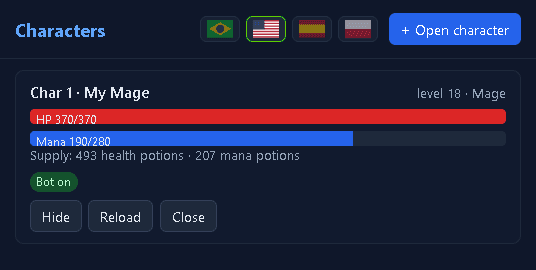
The Characters panel opens as many characters as you want, each in its own window, and shows each one's life, mana, supply, bot state and last alert. It is the first window after you sign in.
How to turn it on
- 1After signing in, the Characters panel opens.
- 2Click + Open character for each character you want to play.
- 3Log into the game in each window. Each one remembers its login.
Settings, one by one
On each character
Show / Hide
Brings the game window to the front or hides it. A hidden window keeps playing.
Reload
Reloads the game page in that window.
Close
Closes that character's window.
Flags
Change the language of every window right away, and the choice stays saved.
Example: two characters
- Click + Open character twice.
- Log in with a different game account in each window.
- Use Hide on the one you aren't watching and follow it on the panel.
Closed the panel? The Characters menu at the top of the game window opens it again.