
Fantasy Bot guide
This guide explains, in plain words, everything Fantasy Bot does in Fantasy Browser: every tab, every setting and a ready-to-copy example. Open the page of the feature you want to use and follow the steps.
1. Open the bot
- 1Open fantasy-engines-bot.exe, which you get on the Download page. Sign in with the username and password of your bot account.
- 2The Characters panel opens. Click + Open character.
- 3Fantasy Browser opens in its own window. Log in with your game account, as usual. Each window remembers its login.
- 4Click the bot icon, to the left of the game's top bar. The Engine window opens on top of the game.
2. How the window works
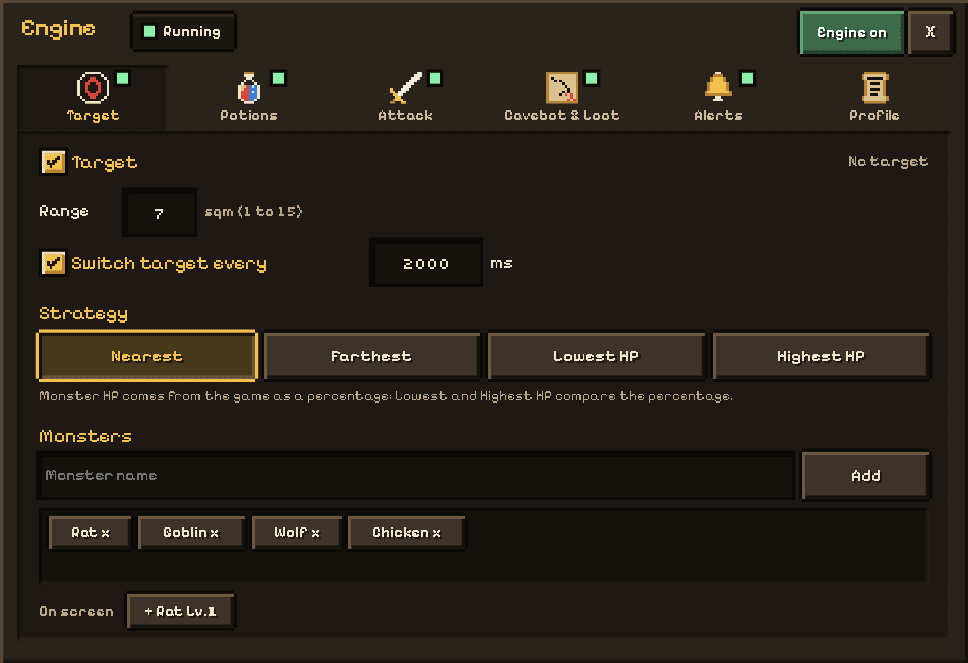
The Engine window has six tabs: Target, Potions, Attack, Cavebot & Loot, Alerts and Profile. A small square lights up next to each tab whose part is on. Changes work right away and are saved on your computer, with no save button. X closes only the window: the bot keeps running, and the icon opens it again. To keep several ready setups, use Profile.
3. Turning it on and off
The button at the top right of the window (Engine on / Engine off) turns the whole bot on or off: when it is off, nothing runs. It starts off every time the game opens. Each part (Target, Potions, Attack, Cavebot, Loot, Alerts) has its own checkbox and only runs when it is ticked and the Engine is on. Next to the title you see what the bot is doing: Running, or why it is paused, such as the game's challenge or your character dead. It starts again by itself when that ends. Opening a game panel (Bag, Shop, Menu…) or typing in the chat doesn't pause the bot. Loading a profile never turns anything on by itself.
4. Language
The bot speaks English, Portuguese, Spanish and Polish. Choose the language with the flags on the Characters panel: it changes every window right away and stays saved. The first time, the bot follows your computer's language. The texts of the game itself come from the game, which has Portuguese, English and Spanish.
Pick a feature
Each page explains one part of the bot, setting by setting, with a ready-to-copy example.