
Tools
Tab: General → Tools
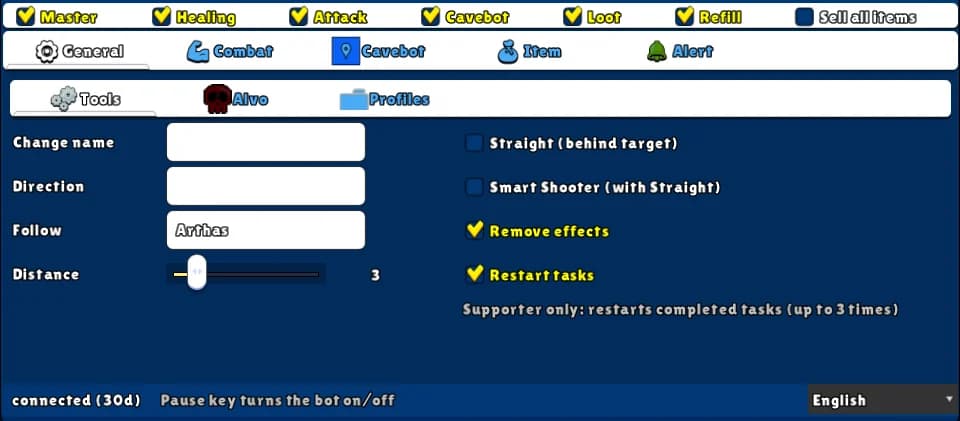
Small extras: change the name over your character, face a player, hide effects and damage numbers, and restart completed tasks.
How to turn it on
- 1Open the General tab and the Tools sub-tab.
- 2Fill or tick only what you want — each one works by itself.
Settings, one by one
Change name
The name shown over your own character, on your screen only — other players still see your real name. Works even with Master off.
ExampleHunter
Direction
A player's name. While you stand still (and Master is on), your character turns to face them when they are 2 SQM or more away. Not saved in profiles.
Remove effects
Hides spell animations and floating damage numbers on your screen — lighter, easier to see. Works even with Master off.
Values: On or off.
Restart tasks
Supporter only: restarts your completed tasks by itself, up to 3 times each. Needs Master on.
Values: On or off.
Example: lighter screen
- Tick Remove effects.
- If you are a Supporter, tick Restart tasks and keep Master on.